CarTrimHome C12 Fix: Dashboard Speakers Have Sound, but Door Speakers Have No Sound
If you install the CarTrimHome C12 and experience the following issue:
- The dashboard speakers have sound;
- The door speakers have no sound;
- Volume control works normally;
- The installation and wiring connections have been checked and are correct;
This issue may occur on vehicles equipped with the factory JBL audio system or an external amplifier located under the passenger seat.
The reason is that the factory amplifier needs an AMP CONT (amplifier control) signal from the C12 head unit to turn on. Without this signal, the dashboard speakers may still work, but the door speakers connected to the factory amplifier will not output sound.
Solution:
- Locate the blue AMP CONT wire on the C12 power harness.
- Find the factory amplifier under the passenger seat.
- Connect the C12 AMP CONT wire to the factory amplifier’s remote turn-on wire.
For some Toyota Tundra models:
-
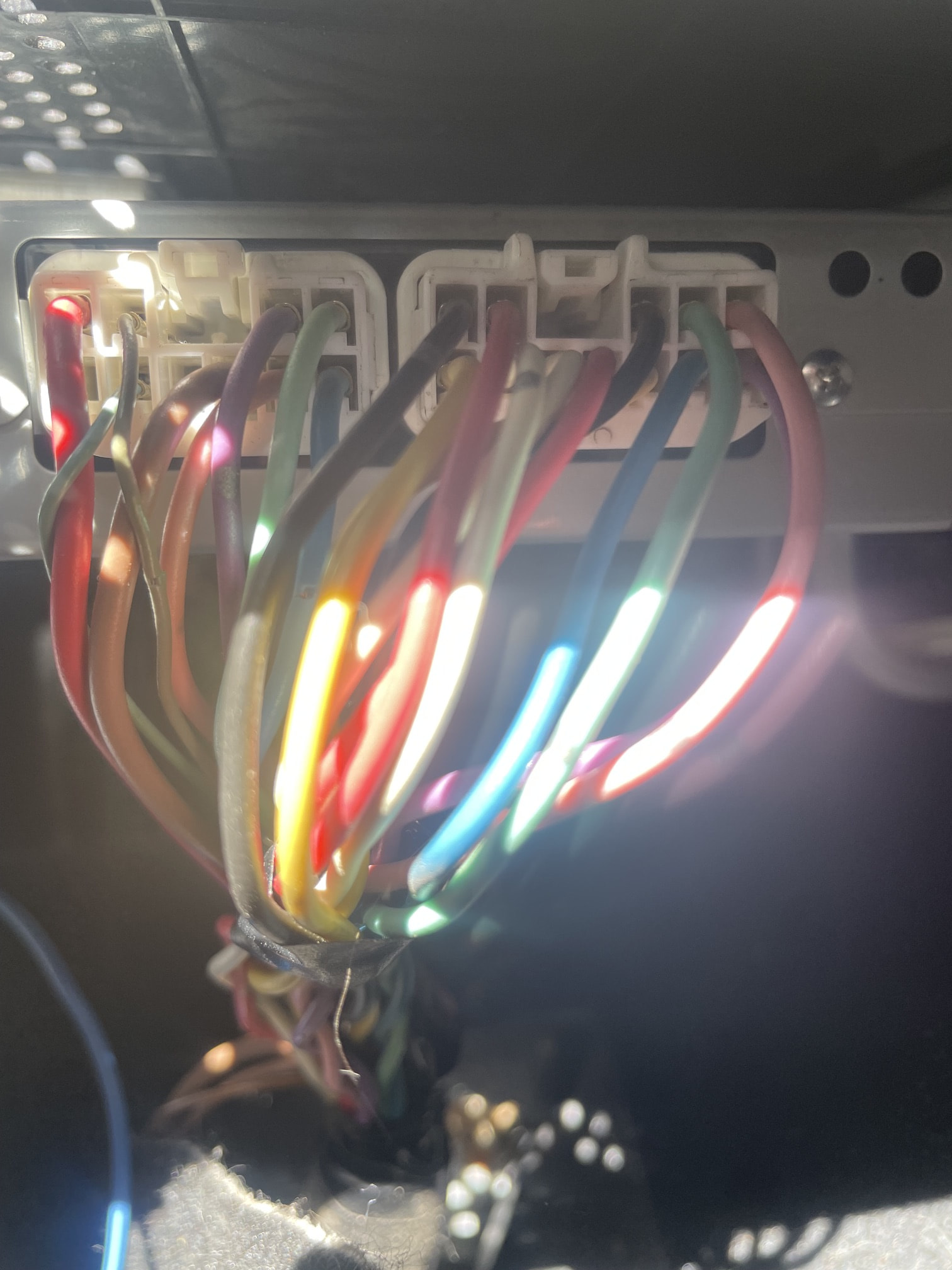
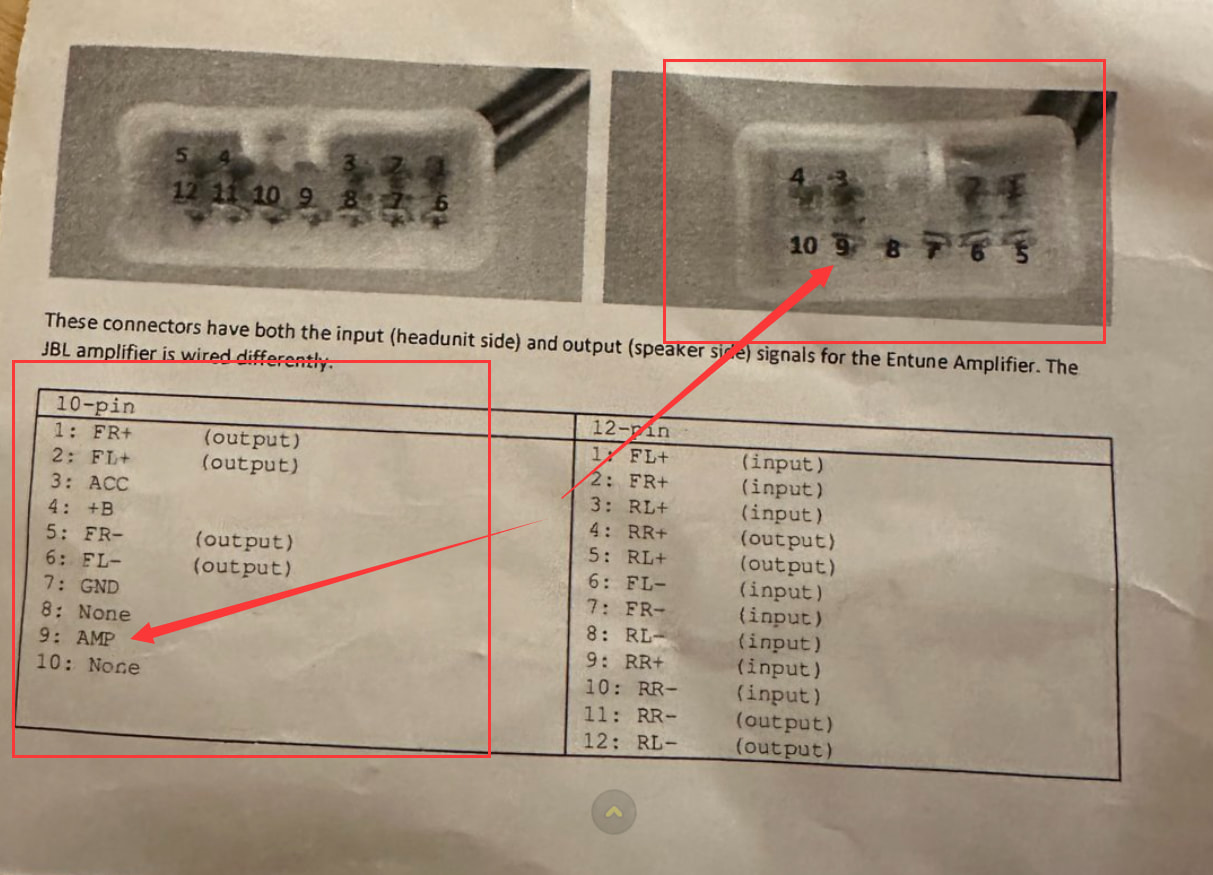
The amplifier remote wire is located on the 10-pin connector, not the 12-pin connector.
-
It is usually a thinner sky blue wire.
-
The pin location may vary depending on the model year:
It should be the second or third hole position from the left in the second row.
According to the diagram, it appears to be Pin 9.
Connection:
C12 AMP CONT Blue Wire
          ↓
Connect to
          ↓
Factory Amplifier Remote Wire
(10-pin connector, thin sky blue wire)
After completing the connection, restart the vehicle. The factory amplifier should be activated, and the door speakers should work normally.
Important Notes:
- Do not connect to the 12-pin connector.
- Make sure you connect to the amplifier remote control wire, not a speaker wire.
If your vehicle is not a Tundra but has a factory JBL system or an external amplifier, the same method can be used to locate and connect the amplifier remote turn-on wire.